

Pass Linux Foundation Certified Kubernetes Administrator (CKA) Program Exam Exam in First Attempt Guaranteed Updated Dump from Exam4Labs!
Pass CKA Exam with 63 Questions - Verified By Exam4Labs
NEW QUESTION 30
Get the pods with label env=dev and output the labels
Answer:
Explanation:
kubectl get pods -l env=dev --show-labels
NEW QUESTION 31
Score: 7%
Task
Reconfigure the existing deployment front-end and add a port specification named http exposing port 80/tcp of the existing container nginx.
Create a new service named front-end-svc exposing the container port http.
Configure the new service to also expose the individual Pods via a NodePort on the nodes on which they are scheduled.
Answer:
Explanation:
See the solution below.
Explanation
Solution:
kubectl get deploy front-end
kubectl edit deploy front-end -o yaml
#port specification named http
#service.yaml
apiVersion: v1
kind: Service
metadata:
name: front-end-svc
labels:
app: nginx
spec:
ports:
- port: 80
protocol: tcp
name: http
selector:
app: nginx
type: NodePort
# kubectl create -f service.yaml
# kubectl get svc
# port specification named http
kubectl expose deployment front-end --name=front-end-svc --port=80 --tarport=80 --type=NodePort
NEW QUESTION 32
Score:7%
Context
An existing Pod needs to be integrated into the Kubernetes built-in logging architecture (e. g. kubectl logs).
Adding a streaming sidecar container is a good and common way to accomplish this requirement.
Task
Add a sidecar container named sidecar, using the busybox Image, to the existing Pod big-corp-app. The new sidecar container has to run the following command:
/bin/sh -c tail -n+1 -f /va r/log/big-corp-app.log
Use a Volume, mounted at /var/log, to make the log file big-corp-app.log available to the sidecar container.
Answer:
Explanation:
See the solution below.
Explanation
Solution:
#
kubectl get pod big-corp-app -o yaml
#
apiVersion: v1
kind: Pod
metadata:
name: big-corp-app
spec:
containers:
- name: big-corp-app
image: busybox
args:
- /bin/sh
- -c
- >
i=0;
while true;
do
echo "$(date) INFO $i" >> /var/log/big-corp-app.log;
i=$((i+1));
sleep 1;
done
volumeMounts:
- name: logs
mountPath: /var/log
- name: count-log-1
image: busybox
args: [/bin/sh, -c, 'tail -n+1 -f /var/log/big-corp-app.log']
volumeMounts:
- name: logs
mountPath: /var/log
volumes:
- name: logs
emptyDir: {
}
#
kubectl logs big-corp-app -c count-log-1
NEW QUESTION 33
Get the memory and CPU usage of all the pods and find out top 3 pods which have the highest usage and put them into the cpuusage.txt file
- A. // Get the top 3 pods
kubectl top pod --all-namespaces | sort --reverse --key 3 --
numeric | head -3
// putting into file
kubectl top pod --all-namespaces | sort --reverse --key 3 --
numeric | head -3 > cpu-usage.txt
// verify
cat cpu-usage.txt - B. // Get the top 3 pods
kubectl top pod --all-namespaces | sort --reverse --key 3 --
numeric | head -8
// putting into file
kubectl top pod --all-namespaces | sort --reverse --key 6 --
numeric | head -6 > cpu-usage.txt
// verify
cat cpu-usage.txt
Answer: A
NEW QUESTION 34
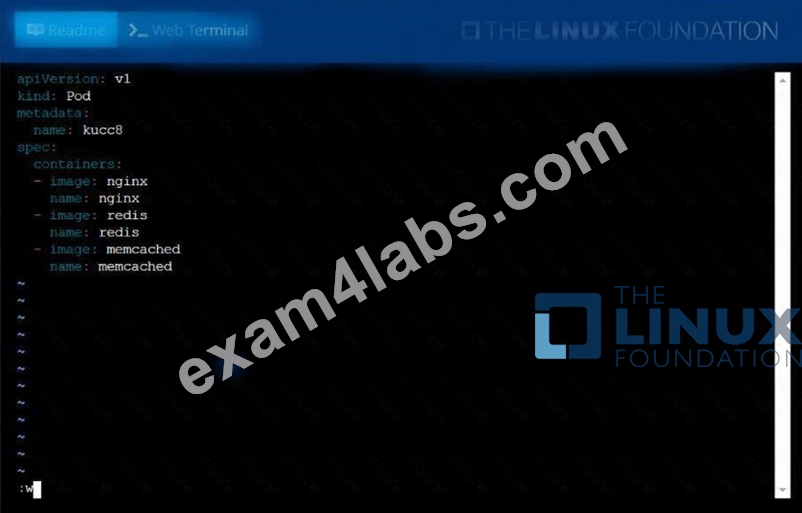
Create a pod namedkucc8with asingle app container for each of the
following images running inside(there may be between 1 and 4images specified):
nginx + redis + memcached.
Answer:
Explanation:
See the solution below.
Explanation
solution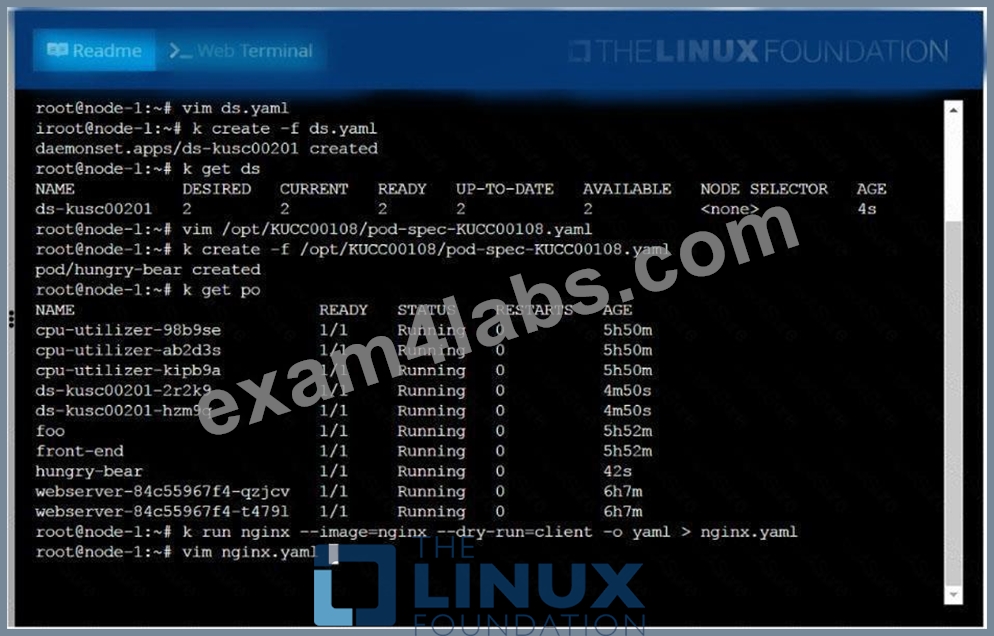
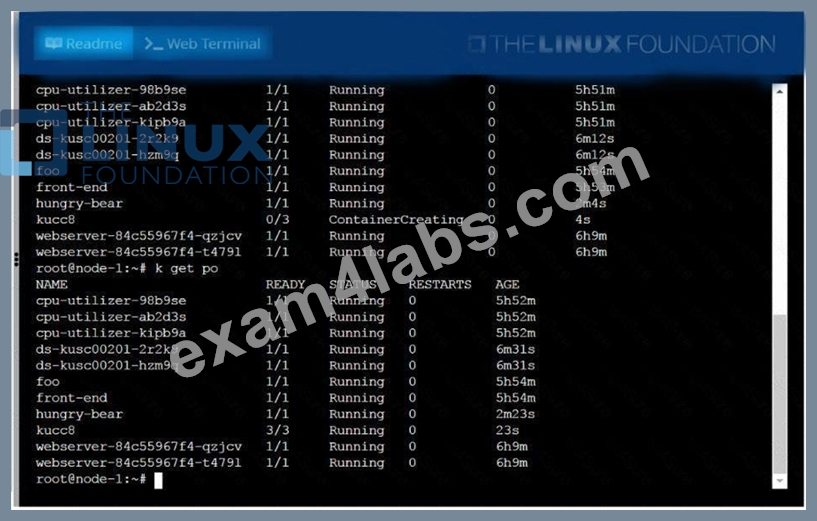
NEW QUESTION 35
Configure the kubelet systemd- managed service, on the node labelled with name=wk8s-node-1, to launch a pod containing a single container of Image httpd named webtool automatically. Any spec files required should be placed in the /etc/kubernetes/manifests directory on the node.
You can ssh to the appropriate node using:
[student@node-1] $ ssh wk8s-node-1
You can assume elevated privileges on the node with the following command:
[student@wk8s-node-1] $ | sudo -i
Answer:
Explanation:
See the solution below.
Explanation
solution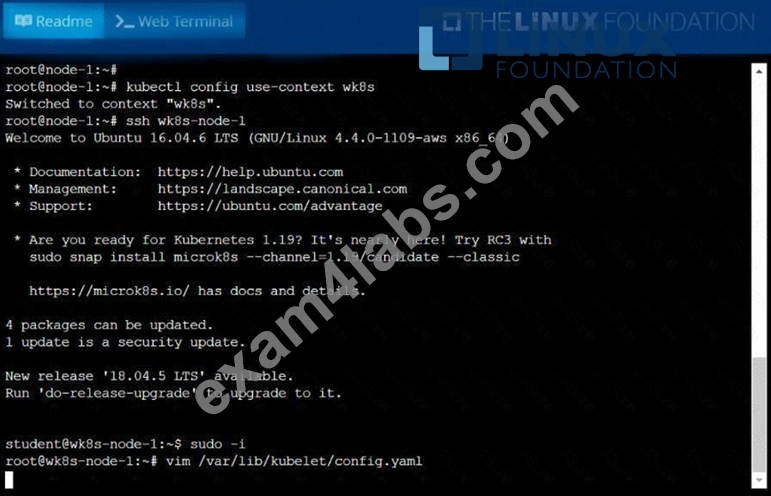
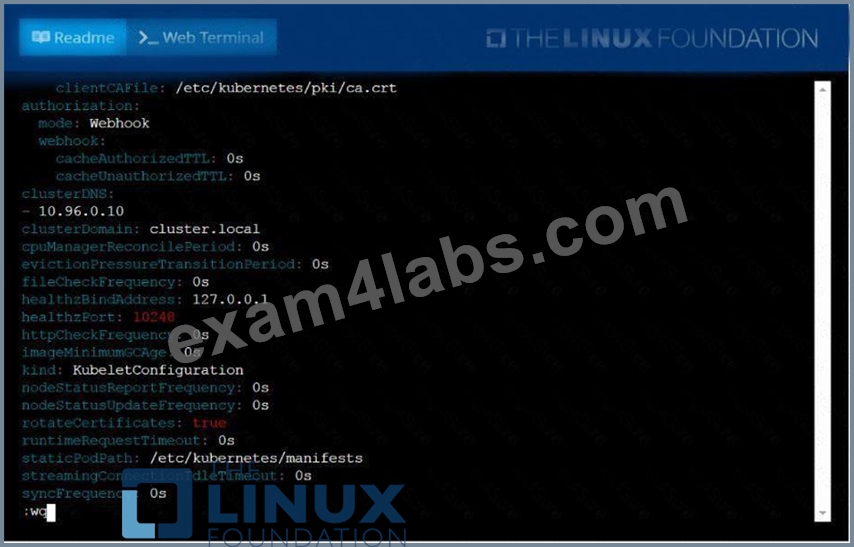
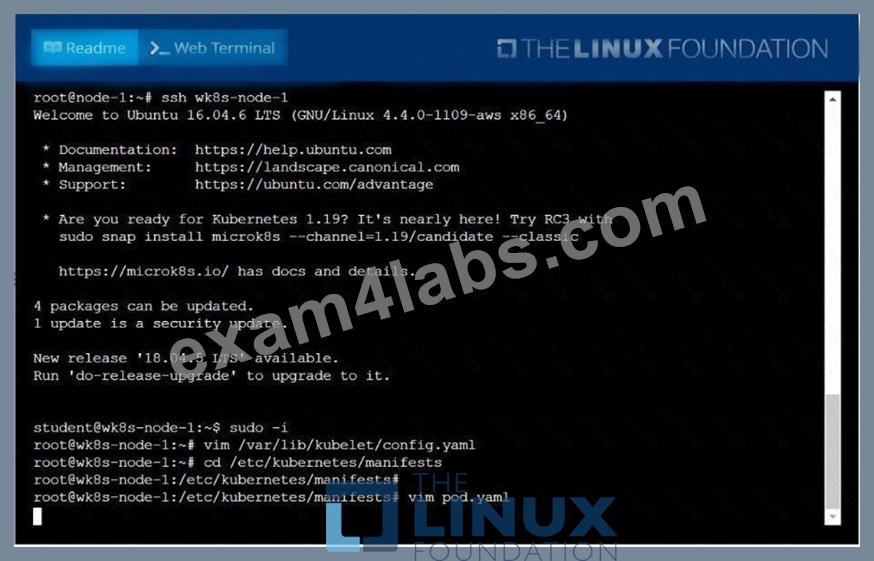
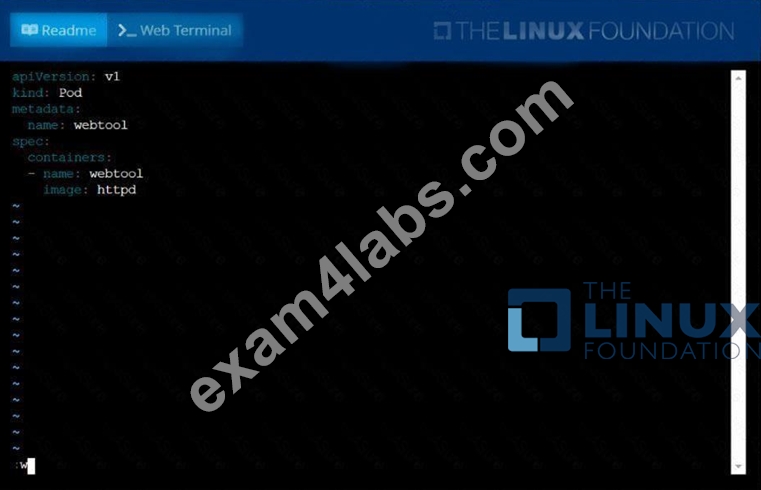
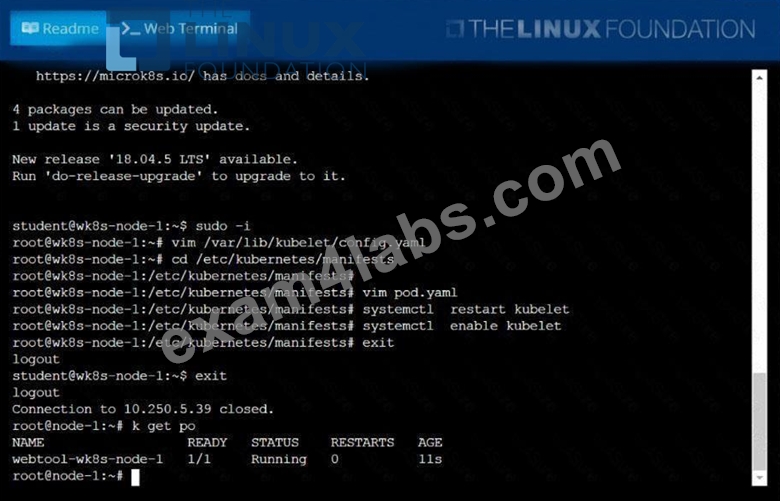
NEW QUESTION 36
Change the Image version back to 1.17.1 for the pod you just updated and observe the changes
Answer:
Explanation:
kubectl set image pod/nginx nginx=nginx:1.17.1 kubectl describe po nginx kubectl get po nginx -w # watch it
NEW QUESTION 37
Set CPU and memory requests and limits for existing pod name
"nginx-prod".
Set requests for CPU and Memory as 100m and 256Mi respectively
Set limits for CPU and Memory as 200m and 512Mi respectively
- A. kubectl get po
kubectl set resources po nginx-prod --
limits=cpu=200m,memory=512Mi --requests=cpu=100m,memory=256Mi
//Verify
kubectl top po
kubectl describe po nginx-prod - B. kubectl get po
kubectl set resources po nginx-prod --
limits=cpu=200m,memory=512Mi --requests=cpu=100m,memory=256Mi
//Verify
kubectl describe po nginx-prod
Answer: A
NEW QUESTION 38
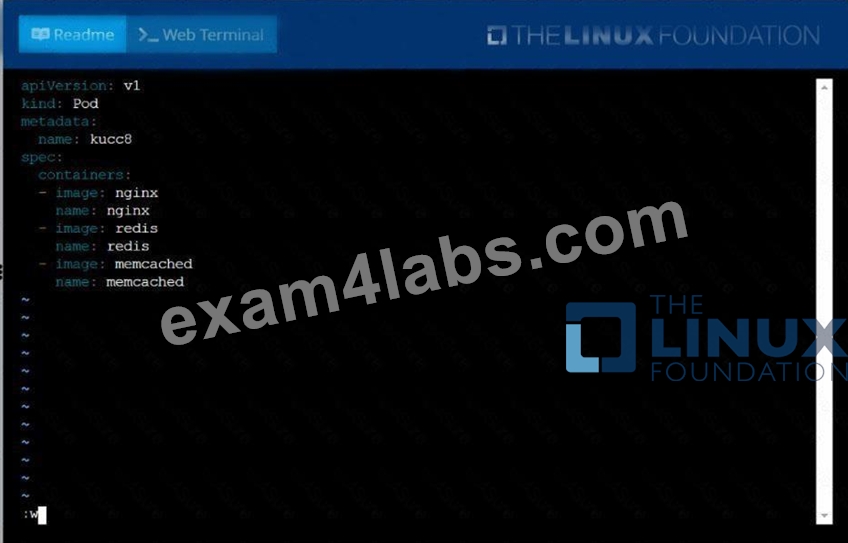
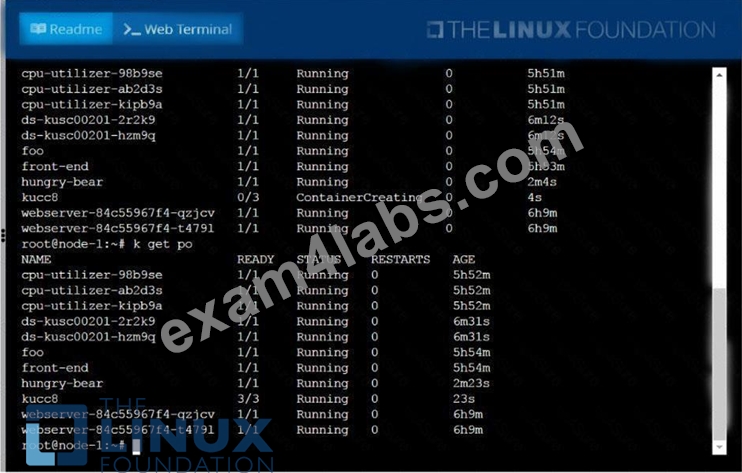
Create a pod named kucc8 with a single app container for each of the
following images running inside (there may be between 1 and 4 images specified):
nginx + redis + memcached.
Answer:
Explanation:
See the solution below.
Explanation
solution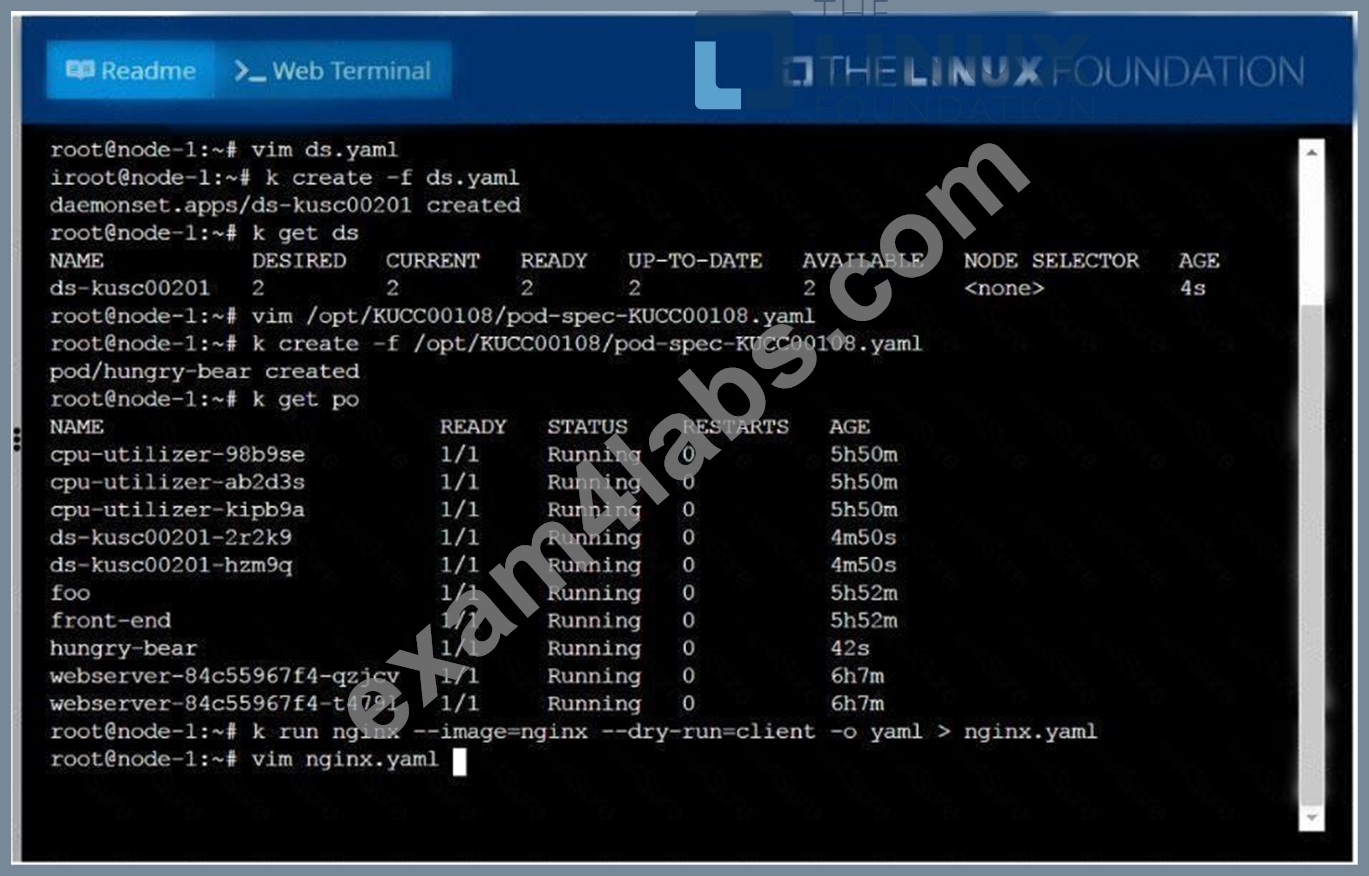
NEW QUESTION 39
Create a deployment called webapp with image nginx having 5 replicas in it, put the file in /tmp directory with named webapp.yaml
- A. //Create a file using dry run command
kubectl create deploy --image=nginx --dry-run -o yaml >
/tmp/webapp.yaml
// Now, edit file webapp.yaml and update replicas=5
apiVersion: apps/v1
kind: Deployment
metadata:
labels:
app: webapp
name: webapp
spec:
replicas: 5
selector:
matchLabels:
app: webapp
template:
metadata:
labels:
Note: Search "deployment" in kubernetes.io site , you will get
the page
https://kubernetes.io/docs/concepts/workloads/controllers/deplo
yment/
// Verify the Deployment
kubectl get deploy webapp --show-labels
// Output the YAML file of the deployment webapp
kubectl get deploy webapp -o yaml - B. //Create a file using dry run command
kubectl create deploy --image=nginx --dry-run -o yaml >
/tmp/webapp.yaml
// Now, edit file webapp.yaml and update replicas=5
apiVersion: apps/v1
kind: Deployment
metadata:
labels:
app: webapp
name: webapp
spec:
replicas: 5
selector:
matchLabels:
app: webapp
template:
metadata:
labels:
app: webapp
spec:
containers:
- image: nginx
name: nginx
Note: Search "deployment" in kubernetes.io site , you will get
the page
https://kubernetes.io/docs/concepts/workloads/controllers/deplo
yment/
// Verify the Deployment
kubectl get deploy webapp --show-labels
// Output the YAML file of the deployment webapp
kubectl get deploy webapp -o yaml
Answer: B
NEW QUESTION 40
Create an nginx pod with containerPort 80 and with a PersistentVolumeClaim "task-pv-claim" and has a mouth path "/usr/share/nginx/html"
- A. vim nginx-pvc-pod.yaml
apiVersion: v1
kind: Pod
metadata:
name: task-pv-pod
spec:
volumes:
- name: task-pv-storage
persistentVolumeClaim:
claimName: task-pv-claim
containers:
- name: task-pv-container
image: nginx
ports:
- containerPort: 60
name: "http"
volumeMounts:
- mountPath: "/usr/share/nginx/html"
name: task-pv-storage
kubectl apply -f nginx-pvc-pod.yaml
// Verify
kubectl describe po "POD-Name" | grep -i volumes -A4
Volumes:
task-pv-storage:
Type: PersistentVolumeClaim (a reference to a
PersistentVolumeClaim in the same namespace)
ClaimName: task-pv-claim
ReadOnly: false - B. vim nginx-pvc-pod.yaml
apiVersion: v1
kind: Pod
metadata:
name: task-pv-pod
spec:
volumes:
- name: task-pv-storage
persistentVolumeClaim:
claimName: task-pv-claim
containers:
- name: task-pv-container
image: nginx
ports:
- containerPort: 80
name: "http"
volumeMounts:
- mountPath: "/usr/share/nginx/html"
name: task-pv-storage
kubectl apply -f nginx-pvc-pod.yaml
// Verify
kubectl describe po "POD-Name" | grep -i volumes -A5
Volumes:
task-pv-storage:
Type: PersistentVolumeClaim (a reference to a
PersistentVolumeClaim in the same namespace)
ClaimName: task-pv-claim
ReadOnly: false
Answer: B
NEW QUESTION 41
Score: 4%
Context
You have been asked to create a new ClusterRole for a deployment pipeline and bind it to a specific ServiceAccount scoped to a specific namespace.
Task
Create a new ClusterRole named deployment-clusterrole, which only allows to create the following resource types:
* Deployment
* StatefulSet
* DaemonSet
Create a new ServiceAccount named cicd-token in the existing namespace app-team1.
Bind the new ClusterRole deployment-clusterrole lo the new ServiceAccount cicd-token , limited to the namespace app-team1.
Answer:
Explanation:
See the solution below.
Explanation
Solution:
Task should be complete on node -1 master, 2 worker for this connect use command
[student@node-1] > ssh k8s
kubectl create clusterrole deployment-clusterrole --verb=create
--resource=deployments,statefulsets,daemonsets
kubectl create serviceaccount cicd-token --namespace=app-team1
kubectl create rolebinding deployment-clusterrole --clusterrole=deployment-clusterrole
--serviceaccount=default:cicd-token --namespace=app-team1
NEW QUESTION 42
Create a namespace called 'development' and a pod with image nginx called nginx on this namespace.
Answer:
Explanation:
kubectl create namespace development kubectl run nginx --image=nginx --restart=Never -n development
NEW QUESTION 43
From the pod label name=cpu-utilizer, find pods running high CPU workloads and write the name of the pod consuming most CPU to the file /opt/KUTR00102/KUTR00102.txt (which already exists).
Answer:
Explanation:
See the solution below.
Explanation
solution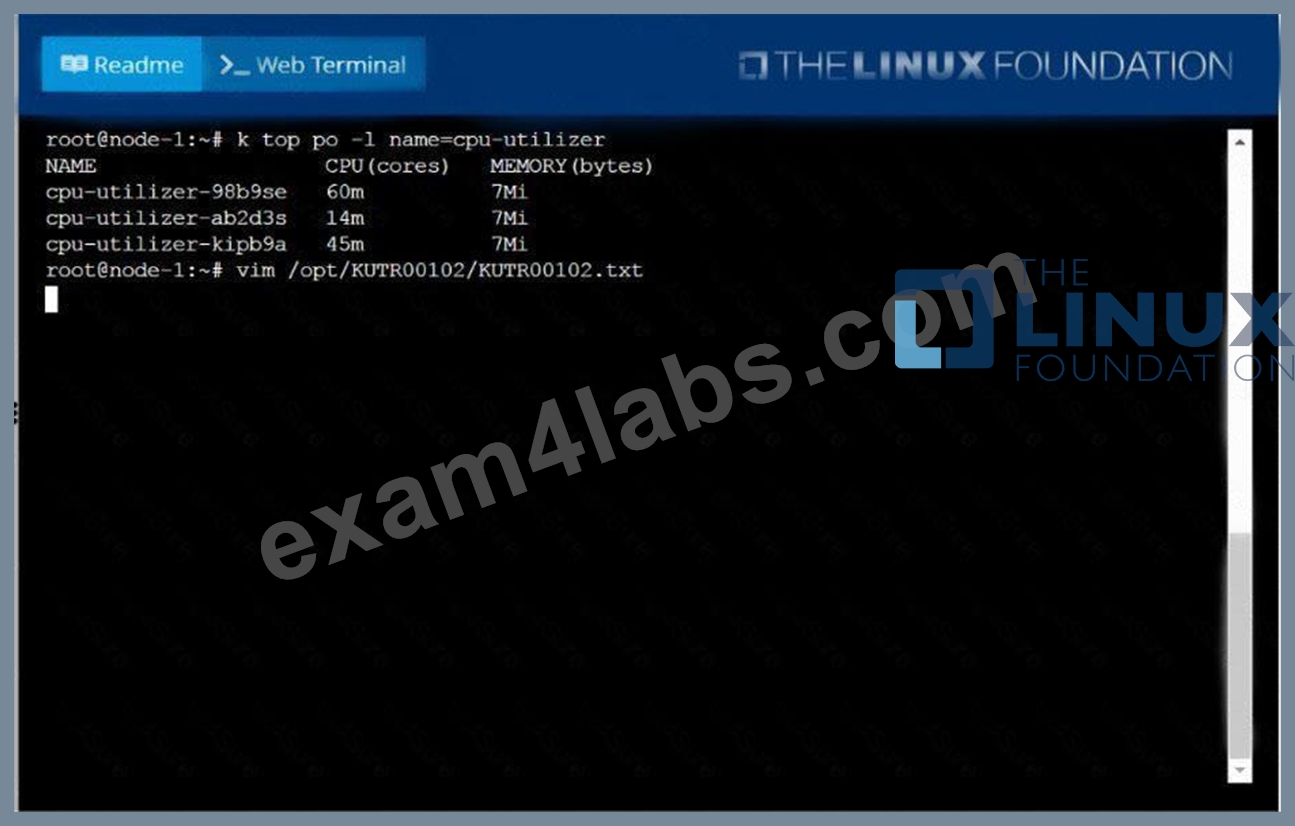

NEW QUESTION 44
Create a configmap called myconfigmap with literal value
appname=myapp
- A. kubectl create cm myconfigmap --from-literal=appname=myapp
// Verify
kubectl get cm -o yaml
(or)
kubectl describe cm - B. kubectl create cm myconfigmap --from-literal=appname=myapp
// Verify
(or)
kubectl describe cm
Answer: A
NEW QUESTION 45
......
Penetration testers simulate CKA exam: https://www.exam4labs.com/CKA-practice-torrent.html
Free Test Engine For Certified Kubernetes Administrator (CKA) Program Exam Certification Exams: https://drive.google.com/open?id=1BkJ8pAk8B2oHR47zweEUkmHCmS5tXpkU